GLOBAL GUIDE · CHECKED SEPTEMBER 2026
Budget Gaming PC Build: How to Split the Money, Not Which Parts to Buy
The short answer: A budget gaming PC build should target 1080p, where half of all Steam users still play, and put roughly 35 to 40 per cent of the total into the graphics card. The allocation rule outlives any parts list: model numbers change every quarter, but the share of budget that belongs to the GPU does not.
Every budget gaming PC build guide gives you a parts list. Almost none of them admit the problem with a parts list, which is that it is a photograph of one week's prices and stock, and it is wrong by the next quarter.
What survives is the allocation. The question worth answering is not which graphics card to buy but what fraction of your money should go to it, because that fraction barely moves while the model numbers move constantly. Learn the split and you can build correctly in any market, at any budget, without needing anyone's list.
What a budget gaming PC build should target
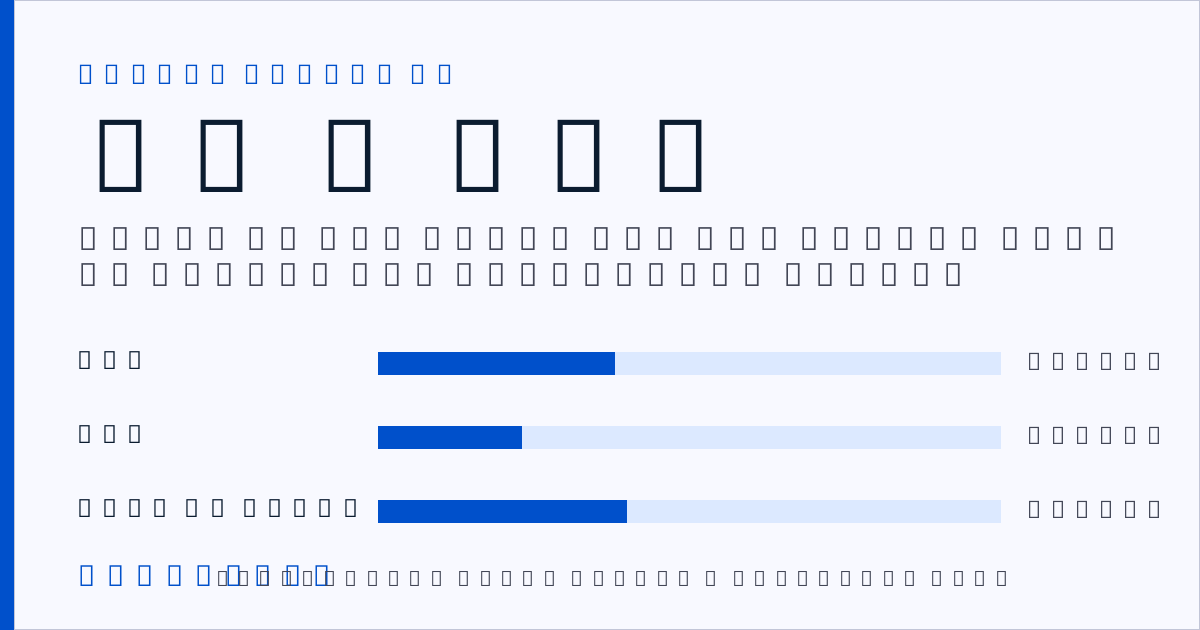
Target 1080p. Valve's August 2026 hardware survey puts 50.52 per cent of Steam users at 1920×1080 and only 4.98 per cent at 4K, so 1080p is where the mainstream sits and the cheapest resolution to feed well. A budget build aimed there lands at $600 to $900 for the PC alone.
Those are planning bands compiled in September 2026 rather than retailer quotes, and SetupFind publishes how these figures are checked.
This article covers the PC only. If you are pricing the whole setup including the monitor, desk, chair and peripherals, that is a different calculation with a different order of priorities. What a gaming setup actually costs covers that side.
Setting the target from what people actually play at
The most expensive mistake in a budget build is aiming at a resolution you will not use.
The Steam hardware survey for August 2026 reports 50.52 per cent of users at 1080p, 21.86 per cent at 1440p and 4.98 per cent at 4K. The most common graphics card on the platform is the RTX 3060, on 3.76 per cent of systems: a mid-range card, several generations old, and more widely used than anything else.
That last figure is the useful one. It tells you the median PC gamer is not running anything exotic, and that a budget build sitting near the middle of the distribution is a normal machine rather than a compromised one.
Worth naming the limitation: the survey is opt-in and covers Steam users only, so it says nothing about console players or PC gamers outside Steam. Within that scope it remains the largest public sample of what people actually run.
Pick 1080p unless you already own a higher-resolution monitor. Pick 1440p if you do. Do not build for a panel you intend to buy later, because by the time you buy it the sensible card will have changed.
The allocation rule that outlives any parts list
Think of it like a recipe rather than a shopping receipt. A receipt tells you what one person paid on one day. A recipe tells you the proportions, and it still works when the prices change.
Here is the recipe. The question is not which GPU but what fraction.
| Resolution target | GPU share of build | CPU share | Everything else |
|---|---|---|---|
| 1080p, 60–144 Hz | 35–40% | 20–25% | 35–45% |
| 1440p, 144 Hz | 40–45% | 20–25% | 30–40% |
| 4K, 60 Hz | 45–50% | 15–20% | 30–40% |
Two things fall out of that table. The GPU share rises with resolution, because resolution is a graphics load rather than a processor load. And the CPU share falls as resolution rises, which surprises people, but at 4K the processor is rarely the bottleneck.
Go much above those GPU shares and the build becomes unbalanced. You get a card the rest of the machine cannot keep fed, in a case that cannot cool it, on a power supply with no margin. Go much below and you have bought a competent computer that games poorly.
Budget bands and what each one realistically plays
Three bands, framed by what they achieve rather than by parts that will be superseded.
| Band | PC only | Realistic target | What it plays | Verdict |
|---|---|---|---|---|
| Entry | $500–700 | 1080p, 60 Hz | Esports titles at high frames, current titles at medium | Yes, if 1080p is the panel |
| Mid | $800–1,100 | 1080p 144 Hz or 1440p 60 Hz | Most current titles at high settings | Yes, the sweet spot |
| Upper budget | $1,200–1,500 | 1440p 144 Hz | Current titles at high, some headroom | Yes, if the monitor justifies it |
Anything below the entry band means buying used. That is reasonable for a case, for storage, or for a power supply of known provenance; it is riskier for a graphics card whose history you cannot verify.
Above the upper band you have left budget territory, and the constraint stops being money and starts being the panel in front of you. Fewer than one in twenty Steam users game at 4K; building for it on a budget means accepting 60 Hz and turning settings down, at which point the resolution has stopped earning its cost.
Where the money goes at the mid band: a current mid-range GPU `AFFILIATE SLOT: mid-range graphics card` and a 650 to 750 watt power supply from a reputable maker `AFFILIATE SLOT: 650W power supply` are the two components worth researching properly.
Where a budget gaming PC build should not economise
Three components punish economising, and the survey data shows where the floor is.
Power supply. The one component whose failure can damage everything else. A cheap unit with an inflated wattage rating is the single worst purchase in a budget build. Buy from a known manufacturer with a real warranty and leave 100 to 150 watts of headroom.
RAM capacity. Valve's August 2026 survey puts 41.20 per cent of systems on 16 GB and 37.45 per cent on 32 GB. That makes 16 GB the practical floor rather than a target, and 32 GB increasingly ordinary rather than generous.
VRAM. This is the one that has quietly shifted. In the same survey, 16 GB of video memory now sits at 26.92 per cent against 8 GB at 25.74 per cent, so 16 GB has just overtaken 8 GB as the most common capacity.
The practical reading is not that 8 GB has stopped working but that it has stopped being the safe default. On a build meant to last, VRAM is where the future-proofing money goes rather than into raw processing.
Storage is the fourth, and it is cheap enough that it barely counts as a decision: an NVMe drive rather than a mechanical one, always.
Prebuilt against self-build at the low end
Three points where a prebuilt wins, and two where it does not.
It wins on warranty, because one company is responsible for the whole machine rather than seven. It wins on time, which is worth something if you have never built one. And it occasionally wins on the graphics card specifically, since large builders buy at volumes an individual cannot match.
It loses in two places, and they are the same two every time. Prebuilts economise where buyers do not look, which means the power supply, the case and the motherboard: exactly the three components that decide whether the machine can be upgraded later. And they frequently ship with 8 GB of VRAM at price points where a self-build would reach 16 GB.
So the honest answer is not that one is cheaper but that they optimise for different things. Buy prebuilt for the warranty and the time saved, with the expectation that year three is a replacement. Self-build for the upgrade path.
The upgrade path you are buying into
A budget build is not just a machine. It is a decision about what you can change later without starting again.
Three components decide that. The case determines what will physically fit, and cases outlive several generations of hardware. The motherboard determines which processors you can move to. The power supply determines whether a hungrier graphics card is a swap or a rebuild.
Spending a little more on those three, and a little less on the processor, is the cheapest way to make year three an upgrade rather than a replacement. The tempting move is the reverse: maximise the parts that show up in benchmarks now, and buy the cheapest possible case and power supply. That is how a build becomes disposable.
Two practical points. Physical size is a room constraint as much as a specification one. A full tower in a small room is a different proposition to a compact case: building a gaming setup in a box room covers that, and how much desk you actually need covers where the tower goes. And a tidy build stays tidy only if the cables are dealt with once: hiding desk cables without drilling is the cheap version of that job.
If streaming is in the plan, the processor argument changes. Encoding is one of the few workloads that genuinely rewards more CPU: what a streaming setup costs covers what sits on top of a gaming build.
Two takeaways and where to go next
Two things to carry away. First, set the resolution target from the panel you own rather than the one you might buy. Then apply the split: roughly 35 to 40 per cent of the budget to the graphics card at 1080p, rising as resolution rises. Second, protect the power supply, the RAM capacity and the VRAM, because those three are what decide whether year three is an upgrade or a rebuild.
The next decision is the monitor, since it sets the target the whole build is aimed at. The gaming setup guide covers panel choice and how the rest of the setup fits around the machine.
Straight answers
How much should a budget gaming PC build cost?
Between $500 and $700 for an entry build at 1080p 60 Hz, and $800 to $1,100 for a mid build capable of 1080p at 144 Hz or 1440p at 60 Hz. These are planning bands for the PC alone, compiled in September 2026, and exclude the monitor and peripherals.
What percentage of a build should the GPU be?
Roughly 35 to 40 per cent at 1080p, 40 to 45 per cent at 1440p, and 45 to 50 per cent at 4K. The share rises with resolution because resolution is a graphics load, while the CPU share falls for the same reason.
Is 8 GB of VRAM still enough?
It still works, but it is no longer the safe default. Valve's August 2026 Steam hardware survey shows 16 GB of video memory at 26.92 per cent against 8 GB at 25.74 per cent, so 16 GB has become the more common capacity.
Is a prebuilt cheaper than building a PC?
Prebuilts are often competitive on headline price and carry a single warranty, but they commonly economise on the power supply, the case and the motherboard, which are the three components that decide whether the machine can be upgraded later.
How much RAM does a budget gaming PC need?
16 GB is the practical floor. Valve's August 2026 survey puts 41.20 per cent of systems on 16 GB and 37.45 per cent on 32 GB, making 32 GB increasingly ordinary rather than generous.