GLOBAL GUIDE · CHECKED SEPTEMBER 2026
Dual PC Streaming Setup: The One Test That Decides Whether You Need a Second PC
By Paul Maji · Updated 26 September 2026 · Research-led guide
The short answer: A dual PC streaming setup only earns its place if you encode with x264 at the medium preset or slower, or run production heavy enough to strain one machine. Twitch's broadcasting guidelines rate NVENC on RTX 20-series and GTX 1660 cards on par with x264 medium, so most streamers are better served by one PC. If you do go dual, NDI costs a network cable; a capture card like Elgato's 4K X is $249.99 at B&H.
Every dual PC streaming setup guide lists the parts and then asks whether it's worth it. Almost none of them mention that the main reason for a second PC, x264 encoding eating your CPU, mostly disappeared when graphics cards gained a dedicated encoder.
NVIDIA's OBS broadcasting guide (updated January 2025) describes NVENC as a physical part of the GPU that does nothing but encode, so the rest of the card keeps running your game. x264 runs on the CPU, and every core it takes is one your game doesn't get.
That changes the single PC vs dual PC streaming question from “can you afford it?” to “which encoder are you actually using?” The ranking guides also skip audio routing between the two PCs, and the room itself.
A second tower in a UK box room needs floor space, adds heat and wants another socket. Start with one test: pass it and you save the cost of a whole computer; fail it and the rest of this page shows how to connect two machines properly.
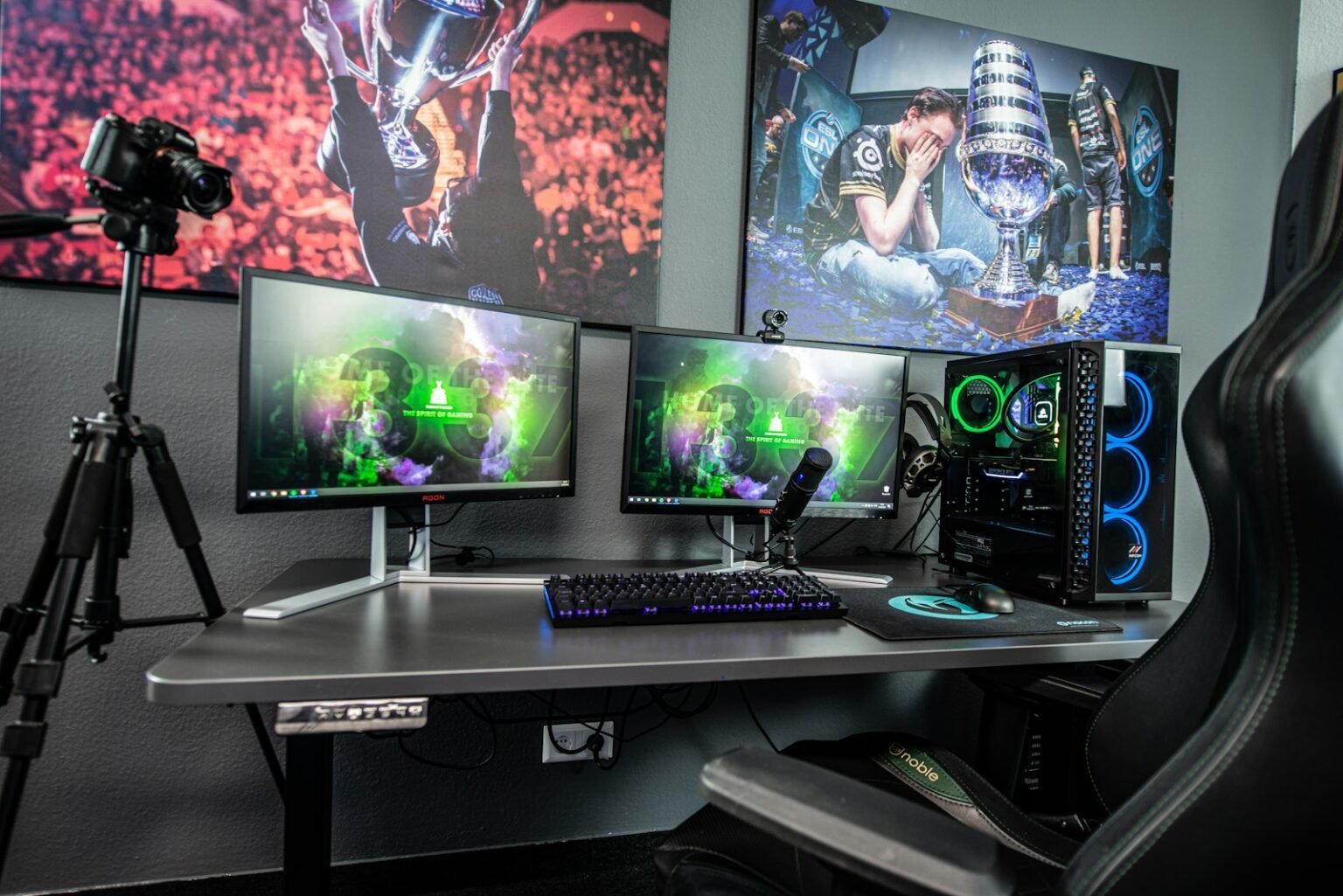
The one test for a dual PC streaming setup
Ask one question: are you encoding with x264 at the medium preset or slower, or running production heavy enough to strain one machine? If neither applies, a single PC using the GPU's NVENC or AMF encoder is enough. Twitch's broadcasting guidelines rate NVENC on RTX 20-series and GTX 1660 cards on par with x264 medium.
The two encoders live in different places: NVENC in its own section of the GPU, x264 on the CPU your game also needs. NVIDIA doesn't put a frame-rate figure on the NVENC cost, so read “separate hardware” as much lighter than x264, not as free.
Slower x264 presets also need cores. Twitch's guidelines (checked 26 September 2026) say anything above the Faster preset needs six or more cores, and on one PC those same cores are running the game. That's where the dual PC case actually lives.
| Your situation | What one PC does | Second PC? |
|---|---|---|
| GPU encoding (NVENC or AMF), one platform, simple overlays | Handles it | No |
| x264 at veryfast or faster | Works, but NVENC now matches or beats it | No |
| x264 at medium or slower | Game and encoder fight for cores | Yes |
| Heavy scenes, many browser sources, several platforms at once | Can strain one machine | Usually |
| Game crashes must never end the stream | One crash takes both down | Usually |
| Console streaming | Console plus capture card into one PC | No |
Console players should follow the console streaming setup guide instead. If you haven't moved off x264 yet, the OBS settings for streaming guide walks through switching encoder before you spend anything.
What a second PC still does well
Think of a busy takeaway with one person doing everything. They cook, take the phone orders and bag the food. On a quiet night that's fine. On a Friday the orders pile up and the food suffers, because the same pair of hands is doing two jobs.
Hire someone for the counter and the cook just cooks. In a dual PC streaming setup, the second PC is that counter. It isn't a faster encoder but a separate pair of hands, so the gaming PC only has to play the game.
NVENC already gave the cook a helper who works in the back, which is why the takeaway rarely needs a second hire now. Three jobs still justify one.
- x264 at slower presets. If you want the quality x264 medium or slower can give, a dedicated CPU with spare cores is the clean way to get it.
- Heavy production. Many browser sources, animated alerts and several outputs at once load OBS itself, not just the encoder.
- Isolation. A game crash, a forced update or a restart on the gaming PC leaves the streaming PC running, so a holding scene stays live while you recover.
One catch on the codec side. NVIDIA's broadcasting guide notes that advanced codecs such as AV1 can't run on consumer CPUs, so a streaming PC that you want to encode AV1 still needs a GPU encoder of its own.
A dual PC streaming setup with or without a capture card
A capture card gives the steadiest link: HDMI from the gaming PC's graphics card straight into the streaming PC, with no reliance on your network. NDI sends the picture over your home network for a cable and a free plugin. At B&H, Elgato's 4K X is $249.99 and the 4K Pro $299.99 (checked 26 September 2026).
With a capture card
The Elgato 4K X listing at B&H describes an external box on USB-C 3.2 Gen 2 with HDMI 2.1 in and out. It passes through up to 4K at 144 Hz with VRR and HDR10 to your monitor and captures up to 4K60, or 1080p at up to 240 fps. Your gaming PC outputs to the card, and your monitor plugs into the card's output.
The Elgato 4K Pro listing at B&H is an internal PCIe 2.0 x4 card, Windows only, with passthrough up to 8K60 and capture at 4K60 or 1080p at 60, 120, 144 or 240 fps. The extra $50 buys the higher passthrough ceiling.
Without a capture card
NDI is the route for a dual PC streaming setup without a capture card. DistroAV on GitHub (formerly OBS-NDI) needs OBS 31.1.1 or newer and NDI Runtime 6.3 or newer; its latest release, 6.2.1, came out on 24 April 2026.
NDI still compresses the feed on the gaming PC, so a little of the load stays behind. The repository states no network requirement, but Wi-Fi shares airtime with every phone and TV in the house; a cable from each PC to the same router doesn't.
| Your situation | Pick | Verdict |
|---|---|---|
| You want the steadiest feed and can spend $250–$300 | Capture card | Yes |
| Both PCs wired to the same router, tight budget | NDI | Usually |
| Streaming PC only on Wi-Fi | NDI | Marginal |
| Gaming PC already close to its limits | Capture card | Yes |
Audio in a dual PC streaming setup
Four routes move audio between two streaming PCs: an analog cable, a USB mixer with two USB connections, NDI audio, or HDMI through a capture card. The hard part is rarely game sound. It's the microphone, which usually needs to reach OBS on the streaming PC and voice chat on the gaming PC at the same time.
| Route | How it works | Catch | Verdict |
|---|---|---|---|
| HDMI via capture card | Game audio rides inside the HDMI signal | Mic still needs its own path | Usually |
| NDI audio | The NDI source carries the gaming PC's audio with the video | Depends on the same network as the video | Usually |
| Analog cable | Line out on the gaming PC into line in on the streaming PC | Two mains-powered PCs can pick up hum; needs a line input | Marginal |
| USB mixer with two USB connections | Mic goes into the mixer, and the mixer feeds both PCs | Confirm the exact model offers two independent USB links | Yes |
Plugging the mic into the gaming PC and expecting OBS on the other machine to hear it leaves you silent on stream; a mixer that feeds both machines gives each PC the same mic. If you'd rather keep the mic on the streaming PC, voice chat has to run there too, or the gaming PC needs another way to hear it.
Whatever route you pick, check sync on a private test stream. Game sound and mic arriving by different paths can drift apart, and OBS lets you add a delay per source to line them up.
A laptop as the streaming PC
A laptop works as the streaming PC if it has a GPU encoder (NVENC or AMF), wired Ethernet or a USB Ethernet adapter, and a USB-C 3.2 Gen 2 port for an external capture card such as Elgato's 4K X. Internal cards like the 4K Pro need a desktop PCIe slot, so they rule a laptop out.
What the streaming PC needs depends on the encoder you give it. Encoding with the laptop's own NVENC or AMF asks little of its processor. Encoding x264 above the Faster preset needs six or more cores by Twitch's guidelines, and treat six as the floor, not the target.
Two practical points for a dual PC streaming setup with a laptop. Keep the laptop on mains power for the whole stream, and give it a hard surface with clear vents.
The connection out of the house matters as much as the laptop. Twitch recommends 6,000 kbps for 1080p60 on NVENC, and Ofcom's home broadband performance report put the average UK home upload at 18.4 Mbit/s (March 2023 data, published September 2023). That's an average, and many copper lines sit well below it; the streaming setup cost guide covers upload speed in detail.
Space, heat and power in a small UK room
In a small room the limit on a dual PC setup is not your budget but your floor. A second tower has to live somewhere, and under the desk it competes with your legs; beside the desk it takes the space your chair needs to move back.
If you're working in a box room, the small box room gaming setup guide shows where furniture fits by width, and the desk size guide covers the depth a second monitor or a capture box eats.
Heat is the second cost. Two computers under load both warm a small room with the door closed. A laptop as the streaming machine is the easier choice here; a second full tower is the harder one.
Power is the third. Two PCs, monitors, a capture card, lights and a mixer need more plugs than one double socket offers. Use one good-quality fused extension lead rated for the load and never daisy-chain extension leads.
Run the test before you buy a second PC
Three takeaways. If you encode with NVENC or AMF and run a simple scene, one PC is enough, because Twitch's guidelines rate NVENC on RTX 20-series cards on par with x264 medium. A second PC earns its place for x264 at slower presets, heavy production or crash isolation. And if you go dual, pick the video link first: a capture card for reliability, NDI over a cable for cost.
The next decision is audio. Decide where your microphone plugs in before buying anything, because that choice sets whether you need a mixer, a cable or nothing extra.
For the rest of the chain, from camera to upload speed, the streaming setup guide is the place to plan it.
Prices are US retail, checked 25 September 2026, and will change. SetupFind has not bench-tested these products; figures come from manufacturer specifications and named sources, as set out in how SetupFind researches its recommendations. Some links may earn a commission at no extra cost to you (affiliate disclosure).
Straight answers
Is a dual PC streaming setup still worth it with NVENC or AV1?
For most streamers, no. Twitch's broadcasting guidelines (checked September 2026) say NVENC on RTX 20-series and GTX 1660 cards is on par with x264 medium, and NVIDIA's broadcasting guide notes AV1 can't run on consumer CPUs anyway. A second PC is worth it for x264 at slower presets, heavy production or crash isolation.
Do I need a capture card for a dual PC setup, or can I use NDI?
You can use NDI instead. The DistroAV plugin needs OBS 31.1.1+ and NDI Runtime 6.3+, and wired Ethernet on both PCs is the safer choice. A capture card such as Elgato's 4K X ($249.99 at B&H, September 2026) is steadier.
How do I get game audio and mic audio to the streaming PC?
Game audio usually travels with the picture, inside the HDMI signal through a capture card or alongside the video in an NDI feed. The mic is harder, because it often needs to reach OBS on the streaming PC and voice chat on the gaming PC. A USB mixer with two independent USB connections feeds the same mic to both.
Can I use a laptop as the streaming PC?
Yes, if it has an NVENC or AMF encoder, a wired Ethernet connection or adapter, and a USB-C 3.2 Gen 2 port for an external capture card like Elgato's 4K X. Internal PCIe cards such as the Elgato 4K Pro need a desktop. Keep it on mains power for long streams.
What specs does the streaming PC need?
With a GPU encoder like NVENC or AMF, the streaming PC's processor matters far less. For x264, Twitch's broadcasting guidelines say presets above Faster need at least six cores, so plan for more at medium or slower. It also needs a video input: a capture card slot or USB port, or wired Ethernet for NDI.