GLOBAL GUIDE · CHECKED SEPTEMBER 2026
How to Build a White Gaming Setup Without Paying the Colour Tax
The short answer: A white gaming setup costs roughly 10 to 25 per cent more than the same build in black, and almost all of that premium sits in two items: the desk and the monitor. Everything else can be changed in an afternoon. Fix those two first, then treat the rest as swappable.
Every white gaming setup guide is a photo gallery. Beautiful rooms, no prices, no sourcing. And no mention of the thing that actually decides whether you can reproduce any of it: committing to a colour narrows your options and quietly raises your cost.
That premium is real, and it is not spread evenly. Some categories are effortless in white and cost nothing extra. Others are genuinely difficult, and one of them is the single largest object on your desk. Knowing which is which is the difference between a build that comes together and one that stalls halfway with a mismatched monitor sitting in the middle of it.
The judgements about what looks good in this article are stated as opinion. The costs, the ergonomics and the hardware availability are sourced.
What a white gaming setup actually costs to match
Expect to pay 10 to 25 per cent more for a white build than the same specification in black. The premium concentrates in the desk and the monitor, where white options are fewer and command a markup. Peripherals, chairs and accessories carry little or no penalty because white is a standard colourway.
Those are planning figures compiled in September 2026 rather than retailer quotes, and SetupFind publishes how these figures are checked instead of implying testing that did not happen.
Two items lock the colour, the rest are swappable
Think of a room you have painted. The paint is the commitment: changing it means a weekend, dust sheets and a second coat. The cushions are not a commitment. You can swap them on a whim and nobody notices the seam.
A setup works the same way. The desk and the monitor are the paint. Everything else is cushions.
The desk is the largest surface in the room and the hardest thing to replace, because replacing it means clearing the entire setup. The monitor is the object your eye rests on for every hour of use, and a black bezel in a white build is the one mismatch nobody can unsee. Get those two right and a mismatched mouse mat is invisible.
So the deciding factor is not how much white gear you can find but which two pieces you commit to first. Desk depth is the constraint that decides the desk, not colour, so settle the size question before the finish: how much desk you actually need works through the sizing, and the wider desk and space guides cover layout.
Buy the desk and monitor in the colour you want. Buy everything else in whatever is cheapest, and change it later if it bothers you.
Where colour-matched gear is easy, and where it is not
White is easy in five categories and hard in two. Keyboards, mice, headsets, cables and desk accessories are widely available in white at no premium. Desks carry a modest markup. Monitors are the genuine constraint, particularly above 1080p, where white panels thin out sharply.
| Category | White availability | Typical premium | Worth paying? |
|---|---|---|---|
| Keyboard and mouse | Wide | None | Yes |
| Headset | Wide | None | Yes |
| Cables and accessories | Wide | None | Yes |
| Chair | Good | 0–10% | Yes |
| Desk | Moderate | 10–20% | Yes, it is one of the two locking items |
| Monitor, 1080p | Moderate | 10–15% | Usually |
| Monitor, 1440p and above | Narrow | 15–30% | Marginal, check the panel first |
That last row is where builds stall. According to Valve's Steam hardware survey for August 2026, 21.86 per cent of users are at 1440p against 50.52 per cent still at 1080p.
The practical consequence is that white options are widest exactly where most people already are. Worth naming the limitation: the survey measures Steam users only and says nothing about what manufacturers stock, so treat it as a proxy for where the volume is rather than a catalogue.
If the panel you want does not exist in white, do not compromise the panel. A black monitor on a white desk reads as deliberate; a worse monitor never does.
The ergonomic cost of a clean look
Here is where aesthetic builds go wrong, and it is almost universal. A clean look means hiding the monitor stand, which means sitting the screen directly on the desk, which drops it well below where it should be.
OSHA's workstation guidance puts the top of the screen at or slightly below eye level, with the centre 15 to 20 degrees below horizontal and a viewing distance of 50 to 100 cm (20 to 40 in). A monitor resting on its own base in a low-profile build typically sits 10 to 15 cm under that.
Worth flagging what that guidance does not cover: it was written for office workstations, not for long gaming sessions, so read it as a minimum standard rather than an optimum.
A monitor arm fixes both problems at once, which is why it is the most useful purchase in an aesthetic build. It lifts the screen to eye level and removes the stand from the desk entirely, which is the look you were after in the first place. A white arm costs $40 to $90 `AFFILIATE SLOT: white monitor arm`.
The stand hides the cable badly and eats the depth; the arm routes the cable through the pole and gives the depth back.
Minimalist, cozy and dark builds: what changes
Three styles dominate, and each changes a different variable. Minimalist reduces the object count and depends on cable discipline. Cozy adds warm light and soft textures and tolerates mismatched gear. Dark builds are the cheapest of the three, because black is the default colourway for almost everything.
Minimalist. Fewest items, no visible cables, one accent at most. The hardest to maintain and the cheapest to buy, because you are buying less. A monitor arm is effectively mandatory.
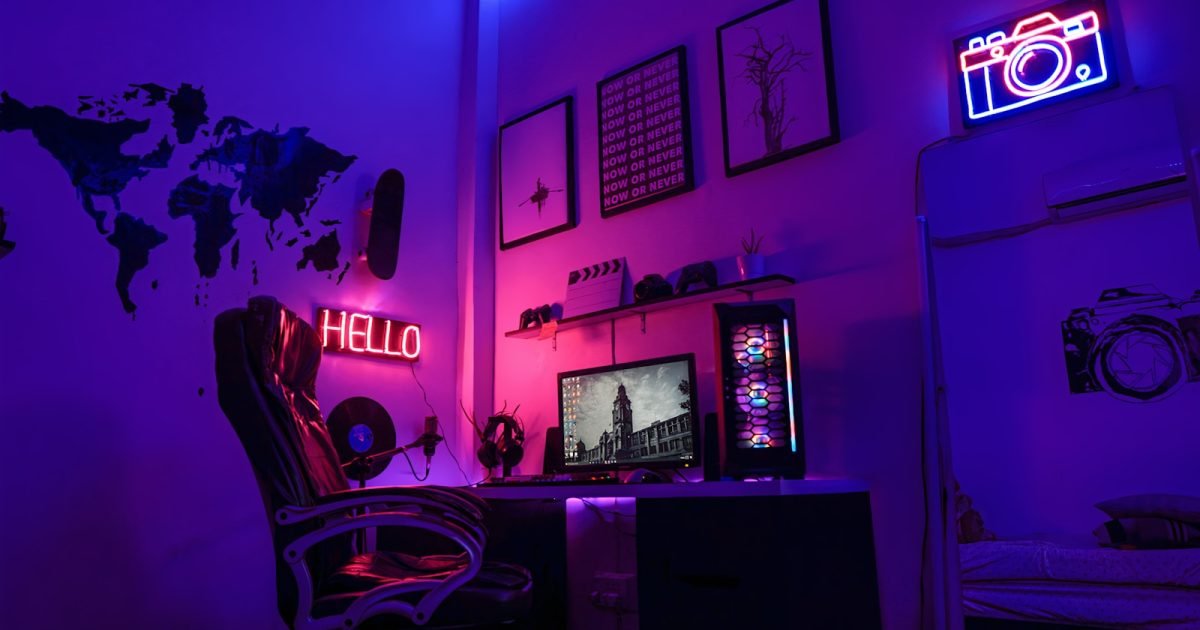
Cozy. Warm colour temperature, wood tones, textiles. The most forgiving style: mismatched gear disappears under warm light, so the colour tax barely applies. Small rooms suit it, and building a gaming setup in a box room covers the layout constraints that come with them.
Dark. Black or near-black across the board with one saturated accent. No colour premium at all, since black is the default.
These are style judgements rather than findings. The costs attached to them are not.
The lighting decision that does most of the work
If you change one thing, change the light behind the monitor rather than the light around the room.
Bias lighting, meaning a strip mounted on the back edge of the monitor washing the wall behind it, does more visible work than any other single change in an aesthetic build. It lifts the screen off the wall, evens out the contrast between a bright panel and a dark room, and it photographs well, which is usually the actual goal. A strip costs $15 to $35 `AFFILIATE SLOT: bias lighting strip`.
RGB strips run around the room's perimeter cost more, draw the eye away from the desk, and make colour matching harder rather than easier. They are the cushions, not the paint.
The other half of a clean look is cable, and it is cheap: hiding desk cables without drilling is a $20 to $40 job that does more for a minimalist build than any lighting purchase.
Two takeaways and where to go next
Two things worth carrying away. First, the colour tax is real but concentrated. The desk and the monitor are what lock a white gaming setup in, and the rest genuinely is swappable, so spend the budget where it cannot be undone later. Second, do not let a clean look cost you screen height. A monitor sitting flat on the desk is the commonest and least comfortable mistake in aesthetic builds, and a monitor arm solves both problems at once.
Next decision is the desk itself, since it locks both the colour and the layout. The gaming setup guide covers the sizing and room questions that decide it.
Straight answers
Do white gaming setups cost more?
Yes, typically 10 to 25 per cent more than the same build in black, with the premium concentrated in the desk and the monitor. Peripherals, headsets, cables and chairs are widely available in white at little or no extra cost. These are planning bands compiled in September 2026.
Do white PC cases and desks turn yellow?
Some white plastics yellow with prolonged UV exposure, which is a property of the plastic rather than the paint. Powder-coated metal and laminated desk surfaces do not. Positioning a build out of direct sunlight avoids the problem entirely and is worth planning around.
Is a white monitor worth the premium?
Usually at 1080p, where white panels are reasonably common and the premium runs 10 to 15 per cent. Above 1440p the choice narrows and the premium reaches 15 to 30 per cent, at which point buying the better black panel is the more sensible trade.
What is the cheapest way to change how a setup looks?
Bias lighting behind the monitor, at $15 to $35. It changes the perceived contrast of the screen and the wall behind it, and it does more visible work than perimeter RGB costing several times as much.
Does a minimalist setup need a monitor arm?
Effectively yes. A minimalist look depends on an uncluttered desk surface, and a monitor stand occupies the deepest part of it. An arm removes the stand and lets the screen sit at the height OSHA's workstation guidance recommends, which a fixed base rarely allows.