GLOBAL GUIDE · CHECKED SEPTEMBER 2026
Remote Podcast Recording: The Guest Kit, Upload Speed and Backup That Save an Episode
By Paul Maji · Updated 1 October 2026 · Research-led guide
The short answer: Remote podcast recording works best as a double-ender: each voice is recorded on its own computer and uploaded, so a bad connection spoils the call, not the episode. Riverside asks for more than 5 Mbps upload. Send your guest a kit of about $175 (Samson Q2U pack, Audio-Technica ATH-M20x, USB-C Ethernet adapter, prices checked 25 September 2026), run three checks before recording, and keep a backup running on the host side.
Every remote podcast recording guide ranks software. Almost none of them deal with the things that actually decide whether an episode is usable: the microphone on your guest's end, their upload speed, and what happens when an upload fails halfway through.
The software lists aren't wrong; they just start in the wrong place. A platform that records each person locally can't rescue a guest talking into a laptop microphone in a kitchen, and it can't finish uploading a track over a connection that keeps dropping.
So this guide runs the other way round: how local recording works and why it beats recording the call, then the upload speed that decides whether it works at all. After that comes a guest kit you can post out for about $175.
Then three checks to run before you press record, a backup recorder for the host, and what the main platforms cost. Prices come from named US retailers and official pricing pages, checked 25 September 2026.
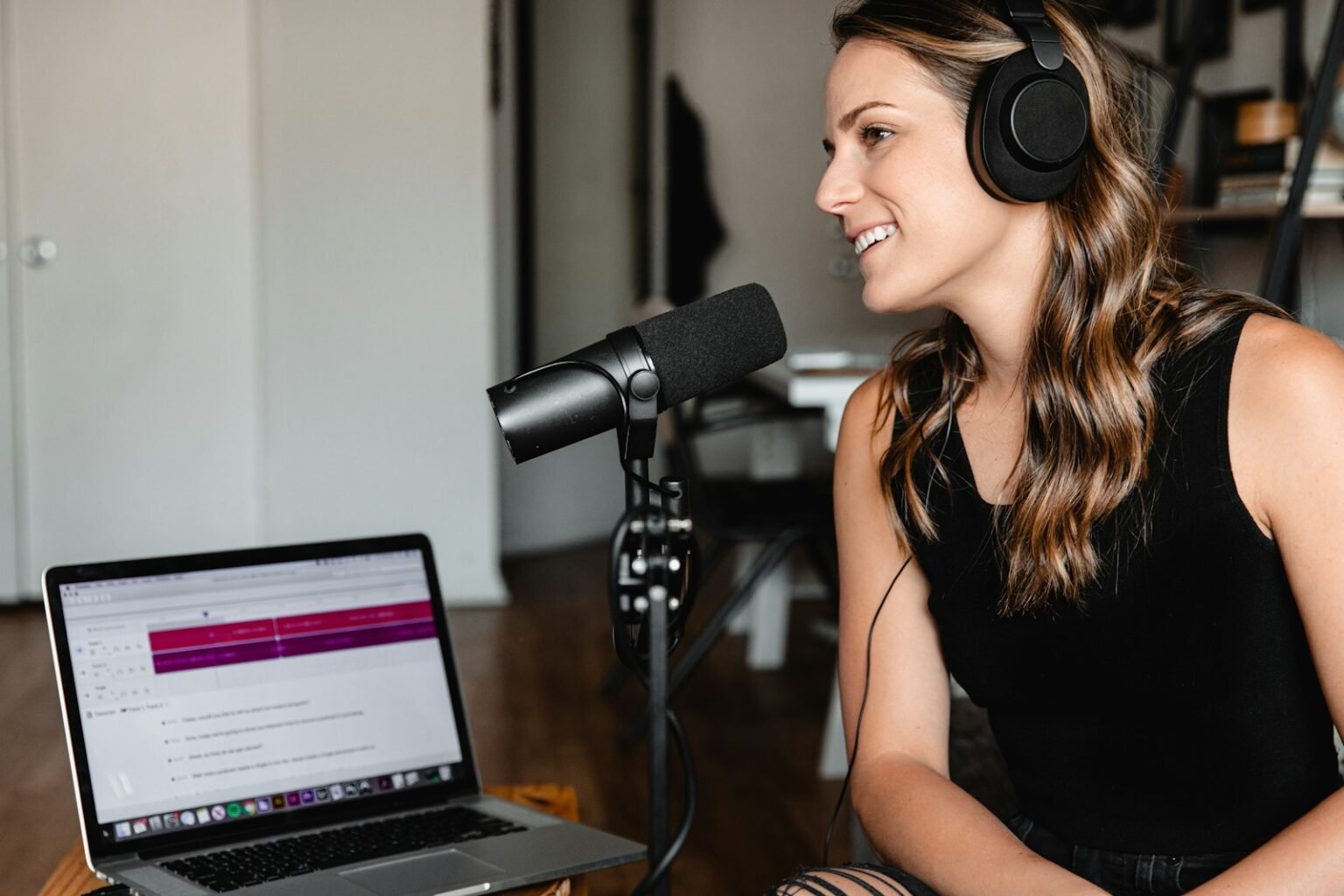
Samson Q2U Recording and Podcasting Pack
Why: A dynamic mic with USB and XLR outputs that picks up far less room sound than a laptop mic. The single best thing to post to a guest.
Best for: a remote guest who records on their own computer.
About $100 · price checked Sep 2026
Local tracks, not the call: how remote podcast recording works
A double-ender records each speaker on their own computer at full quality, then uploads the files, so every voice arrives as a clean, separate track. Recording the call captures audio after internet compression and dropouts. Riverside and Zencastr both deliver a separate track per person; a plain video call records what came down the line.
Think of two musicians recording a duet from different cities. One way is to hold a phone up and record the phone call, and every crackle on the line ends up on the record. The other is for each of them to record their own part in their own room, then send the files to a producer who lines them up.
The second version sounds like both people shared a studio, because in a sense each of them had one. That's a double-ender. The call still happens and you still hear each other through it, but the call is only there so you can talk; it isn't what gets published.
Separate tracks matter in the edit too. When your guest coughs over your answer, or one of you is much louder, a file per person lets you fix one voice without touching the other. Mixed call audio gives you one file and no way to pull the voices apart.
Recording in one room instead? The guide to a podcast setup for two people in one room covers that route.
Your guest's upload speed, not the software
Download figures get the broadband adverts; upload is what remote recording actually consumes. Your guest is sending their voice, their video if you film, and eventually a full-quality local file, all through the slow side of the line.
Riverside's help centre article on bandwidth says upload should be above 5 Mbps and download above 10 Mbps (page undated, checked 25 September 2026). Zoom's system requirements are lower because Zoom sends compressed call audio: 60–80 kbps for audio alone, 1.2 Mbps up for one-to-one 720p video and 3.8 Mbps up for 1080p.
The UK picture looks comfortable on paper. Ofcom's September 2023 home broadband performance report put the average upload at 18.4 Mbit/s in March 2023, up 73% on a year earlier, against an average download of 69.4 Mbit/s. Two limits apply: the data is from 2023, and an average is pulled up by fast full-fibre lines, so it hides the guests stuck on slow ones.
That's why, for remote podcast recording, a speed test on your guest's end beats any national figure. Test on the machine and connection they'll actually record on, at the time of day you'll record. Live streaming hits the same limit, and the guide to what a streaming setup costs in the UK explains what older copper lines can push.
Treat 5 Mbps as the floor, not the target. Local tracks keep uploading during and after the session, and a connection running at its ceiling is the one that drops when someone else in the house starts a film.
The $175 guest kit for remote podcast recording
A guest kit of a Samson Q2U pack ($99.99), Audio-Technica ATH-M20x headphones ($59.00) and a USB-C to Ethernet adapter ($14.99) costs $173.98 at Sweetwater and Best Buy, checked 25 September 2026. It fixes the three usual weak points: the laptop microphone, open speakers and Wi-Fi.
Most guests own none of this, and remote podcast recording only sounds as good as the weakest end. Posting a kit, and asking for it back, is the fix. Three items, plus the option most guests default to:
| Item | Price and retailer | What it fixes | Verdict |
|---|---|---|---|
| Samson Q2U Recording and Podcasting Pack | $99.99, Sweetwater | Dynamic mic with USB and XLR outputs; picks up less room sound than a laptop mic | Yes |
| Audio-Technica ATH-M20x | $59.00, Sweetwater | Closed-back headphones stop your voice leaking into the guest's mic as echo | Yes |
| Best Buy essentials USB-C to Ethernet adapter | $14.99, Best Buy | Gigabit wired connection for laptops with no Ethernet port | Usually (skip if the laptop has a port) |
| Guest's laptop mic and earbuds | $0 | Nothing; room noise and echo stay on the track | No |
The Q2U earns its place because it's a dynamic microphone with both connections. The guest plugs in one USB cable; if you later build a studio, the same mic goes into an interface over XLR. The trade-off between the two is covered in XLR against USB microphones.
If you only need the microphone, Best Buy listed the Q2U alone at $79.99 on offer (regularly $99.99) when checked on 25 September 2026. The adapter only helps if the router is within cable reach, so add a network cable when you don't know the guest's room.
Three checks before you press record
Three checks prevent most failed remote sessions: the guest is on a wired connection with a speed test showing more than 5 Mbps upload, both people wear closed headphones, and the platform is recording separate local tracks with a host backup running. Run all three before the real conversation starts.
Three checks, in this order:
- Wired, then tested. The guest plugs into Ethernet and runs a speed test on the same machine. Under 5 Mbps upload, turn video off or reschedule rather than recording over it.
- Headphones on, both ends. Audio from speakers leaks into the microphone and turns up as an echo of your voice on the guest's track. Closed-back headphones stop it at source.
- Separate tracks, plus a backup. Confirm the platform shows each person recording locally, then start the host recorder. Clap once or say a marker line so the files line up in the edit.
Then make a ten-second test recording and play it back. Trusting the level meters is how a muted microphone survives an hour-long interview; listening back catches it in ten seconds.
A backup recorder on the host side
Local recording has one weak point of its own, which is the upload. If a guest closes the browser tab early, or their connection dies before the file finishes, their track can arrive incomplete. The platform's own copy is your first safety net; a recorder on your desk is the second.
The Zoom H1essential at Sweetwater costs $109.99 (checked 25 September 2026) and records 32-bit float audio at up to 96 kHz. That format suits a backup because nobody is watching its levels; a loud laugh that would clip a normal recording can simply be turned down afterwards. It was backordered at the time of checking, with stock expected on 28 September.
Set it recording your side of the conversation from the start. If a guest track fails, you still have your questions and a timing reference, and the platform's call recording can fill the guest's side at lower quality. That's a patched episode, not a lost one.
If you'd rather back up from your main microphone, the guide to using an audio interface with a USB mic explains how the two connect and what each one records.
Remote podcast recording software and what it costs
Riverside records separate tracks on every plan, from a free tier with a one-time 2 hours to Pro at $24 a month billed annually. Zencastr's free plan includes unlimited separate audio and video recording for up to 6 participants. Zoom can save one audio file per person, but only from the call.
Prices below are from Riverside's pricing page, Zencastr's pricing page and Descript's pricing page, all checked 25 September 2026:
| Platform and plan | Price and what it buys | Separate tracks | Verdict |
|---|---|---|---|
| Riverside Free | $0; one-time 2 hours of multi-track recording, 720p, watermark | Yes | Usually (as a trial) |
| Riverside Pro | $29/month, or $24/month billed annually; 5 hours a month of separate-track downloads, up to 4K | Yes | Yes |
| Riverside Grow | $39/month, or $34/month billed annually; 15 hours a month | Yes | Usually (long weekly shows) |
| Zencastr Free | $0; up to 6 participants, unlimited separate audio and video recording and download | Yes | Yes |
| Descript Rooms (formerly SquadCast) | Free, Hobbyist, Creator and Business tiers; check the live pricing page | Check the plan | Usually (if you edit in Descript) |
| Zoom computer recording | Separate audio file per participant | From the call only | Marginal |
Start on Zencastr's free plan if cost is the constraint; move to Riverside Pro when you need 4K video or more predictable monthly hours. If you're filming as well as recording audio, the video podcast setup guide covers cameras and framing on both ends.
Zoom's help page on recording file formats confirms that computer recording, not cloud recording, can save a separate M4A track for each participant. Because that recording happens on the host's machine, each track is the call audio as it arrived, compression and dropouts included. It's a fallback, not a double-ender.
Kit first, then the platform
Three takeaways. In remote podcast recording, capture local tracks, not the call, because separate full-quality tracks are what make a remote episode sound like a studio one. Check the guest's upload before anything else; more than 5 Mbps on a wired connection is the floor Riverside sets. And post a kit: roughly $175 buys a Q2U pack, closed headphones and an Ethernet adapter, which fixes more than any software upgrade.
The next decision is whether you record audio only or film as well, because video raises the upload demand on both ends and changes which plan you need. For the rest of the chain, from microphones to rooms, the podcast setup guide is the place to go next.
Prices are US retail, checked 25 September 2026, and will change. SetupFind has not bench-tested these products; figures come from manufacturer specifications and named sources, as set out in how SetupFind researches its recommendations. Some links may earn a commission at no extra cost to you (affiliate disclosure).
Straight answers
What is the best software to record a podcast remotely?
A platform that records each person locally beats a plain video call for most shows. Zencastr's free plan offers unlimited separate audio and video recording for up to 6 participants, and Riverside Pro costs $24 a month billed annually for 5 hours a month of separate-track downloads (pricing pages checked 25 September 2026).
What is a double-ender podcast?
A double-ender records each speaker on their own device at full quality, then combines the files in editing. The call is only used so the speakers can hear each other, so dropouts and compression never reach the finished episode. Riverside and Zencastr both handle this automatically, delivering one track per participant.
Can you record a podcast on Zoom with separate tracks?
Yes, partly. Zoom's help centre says computer recording can save a separate M4A audio track for each participant, and that this does not apply to cloud recording. Those tracks are captured on the host's machine from the call, so they carry the call's compression and dropouts rather than each person's full-quality local audio.
What internet speed do you need for remote podcast recording?
Riverside's help centre recommends more than 5 Mbps upload and more than 10 Mbps download. Zoom needs far less for audio alone, 60–80 kbps according to its system requirements, because it sends compressed call audio. Ofcom measured the average UK home upload at 18.4 Mbit/s in March 2023, but averages hide slow lines, so test the guest's own connection.
What equipment should you send a podcast guest?
Send a dynamic USB microphone, closed-back headphones and, for laptops without a network port, a USB-C to Ethernet adapter. A Samson Q2U pack ($99.99, Sweetwater), Audio-Technica ATH-M20x ($59.00, Sweetwater) and a Best Buy essentials adapter ($14.99, Best Buy) came to $173.98 when checked on 25 September 2026. Add a network cable in case the router is out of reach.